Unreal Engine plugin · Documentation
Ictus.
RGB shockwaves.
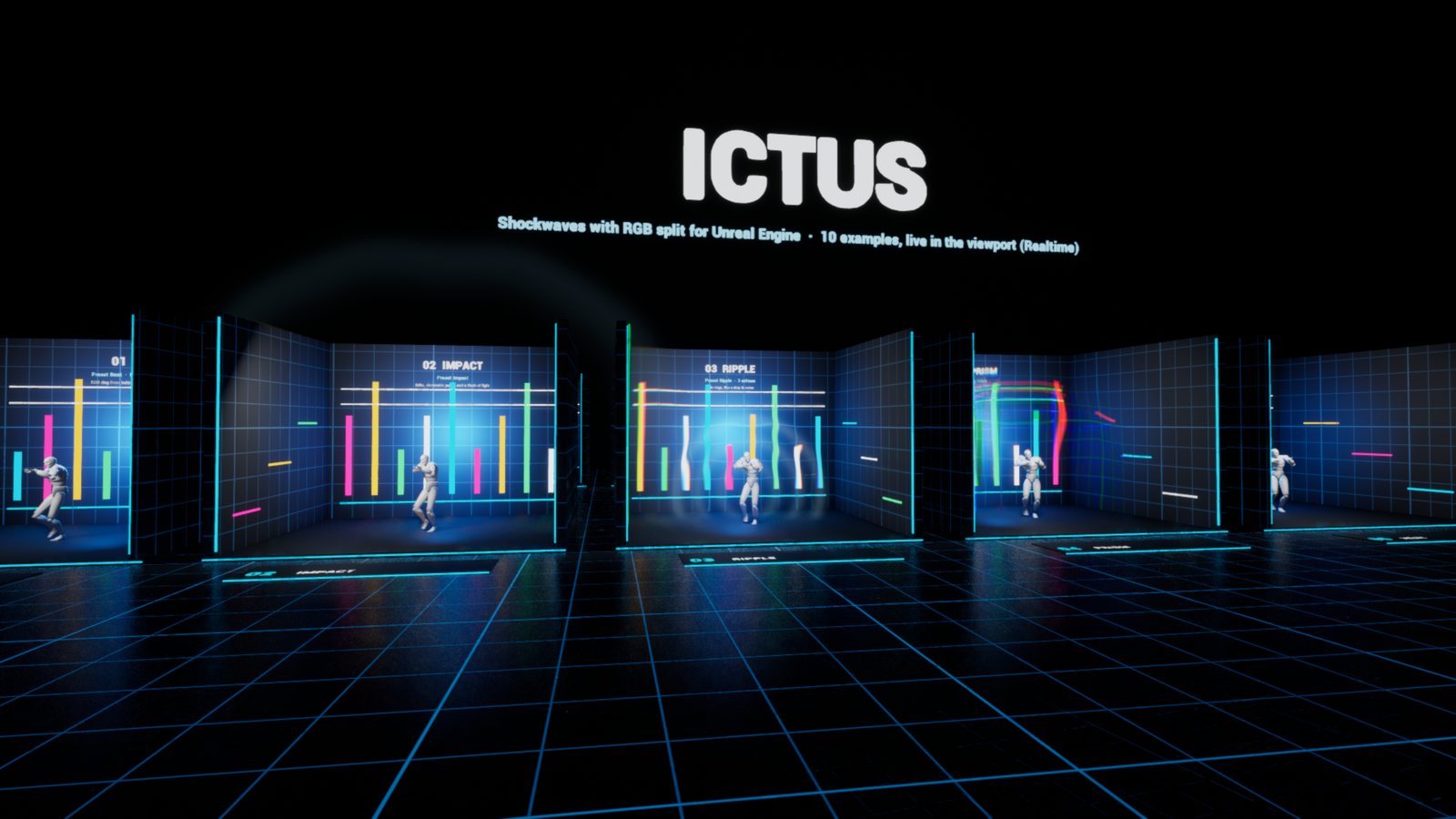
Ictus adds shockwaves that bend the image like vibrating glass, with red, green and blue pulled apart. Drop the actor, attach it to a character, and a ring of refraction bursts out from behind it. The character stays sharp in front of the wave, and its colors smear into the ring as a rainbow ghost.
Everything is computed on the GPU from the actor's position. It works the same in the editor viewport, in game and in Movie Render Queue, and it follows your Sequencer playhead on its own.
Quick start
- Enable Ictus Shockwaves in Edit > Plugins and restart the editor.
- Open the sample level
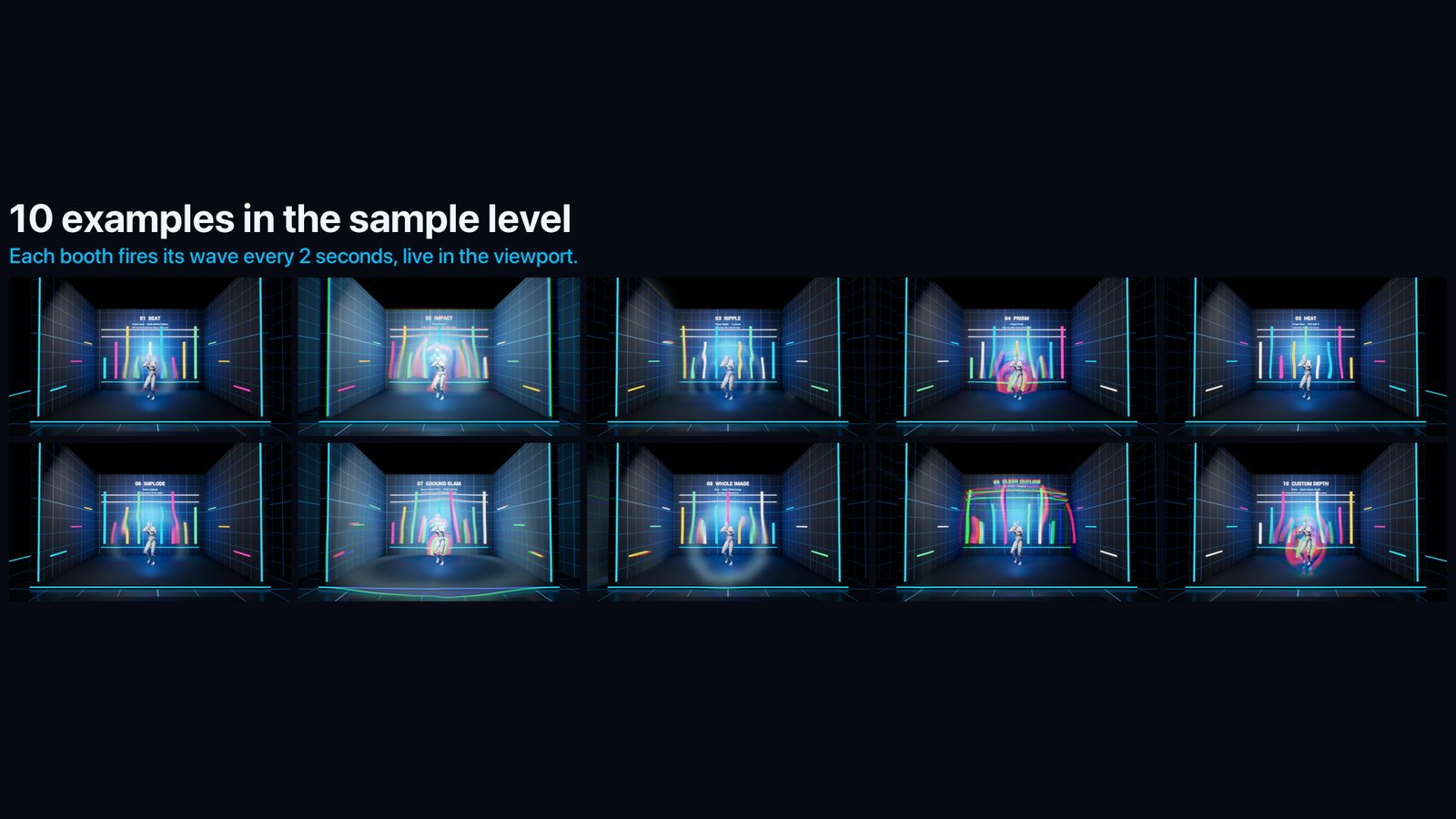
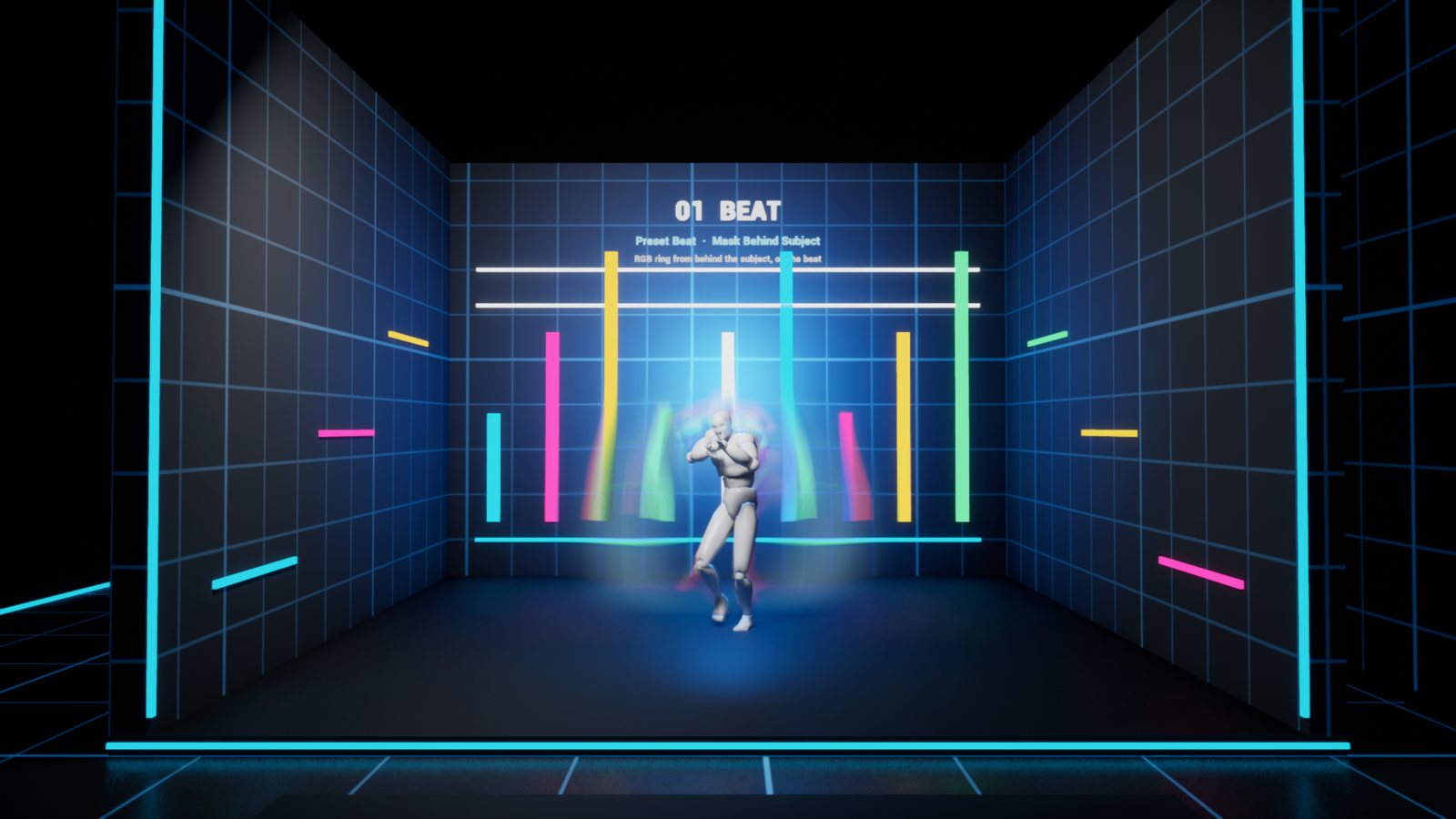
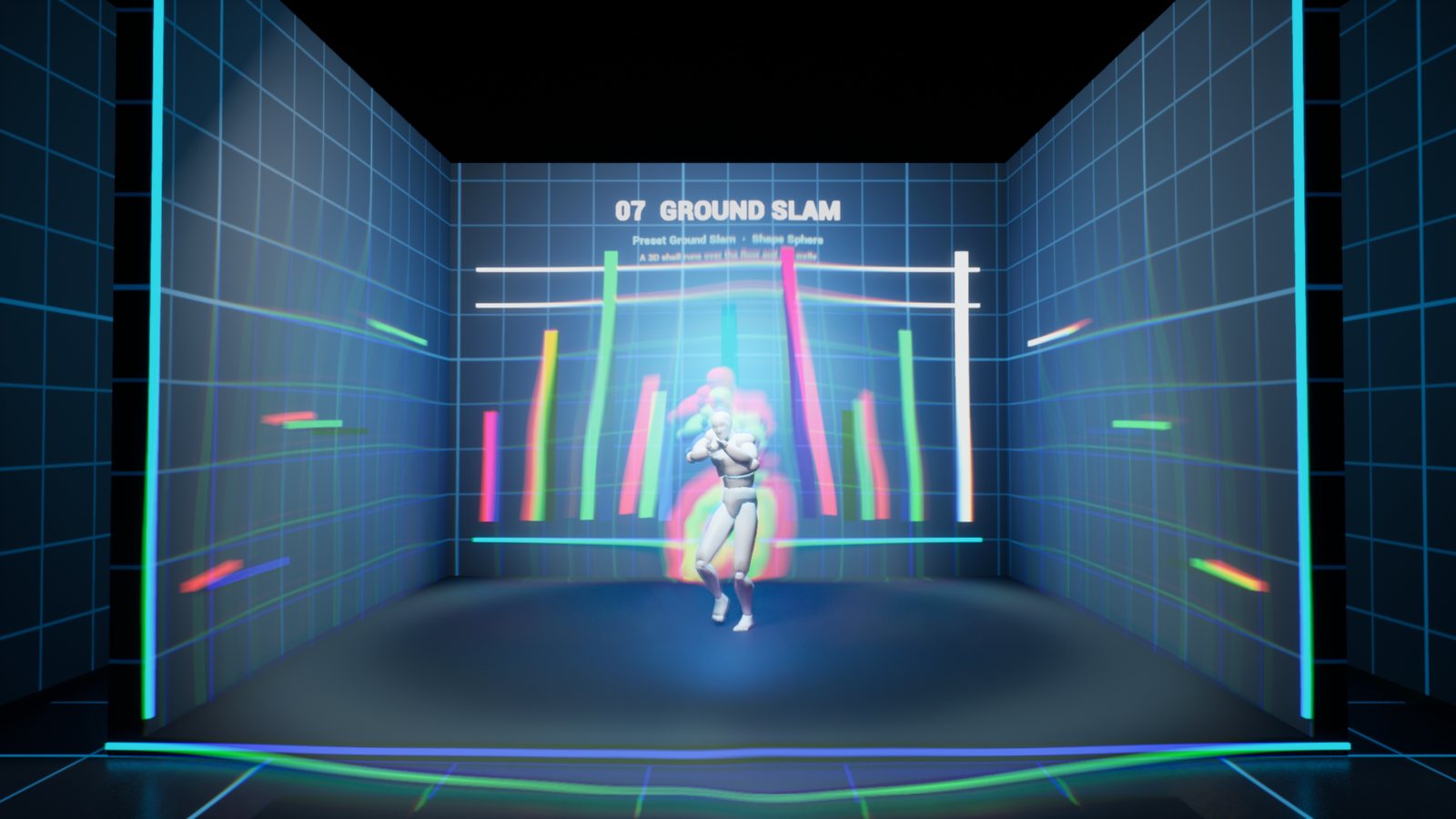
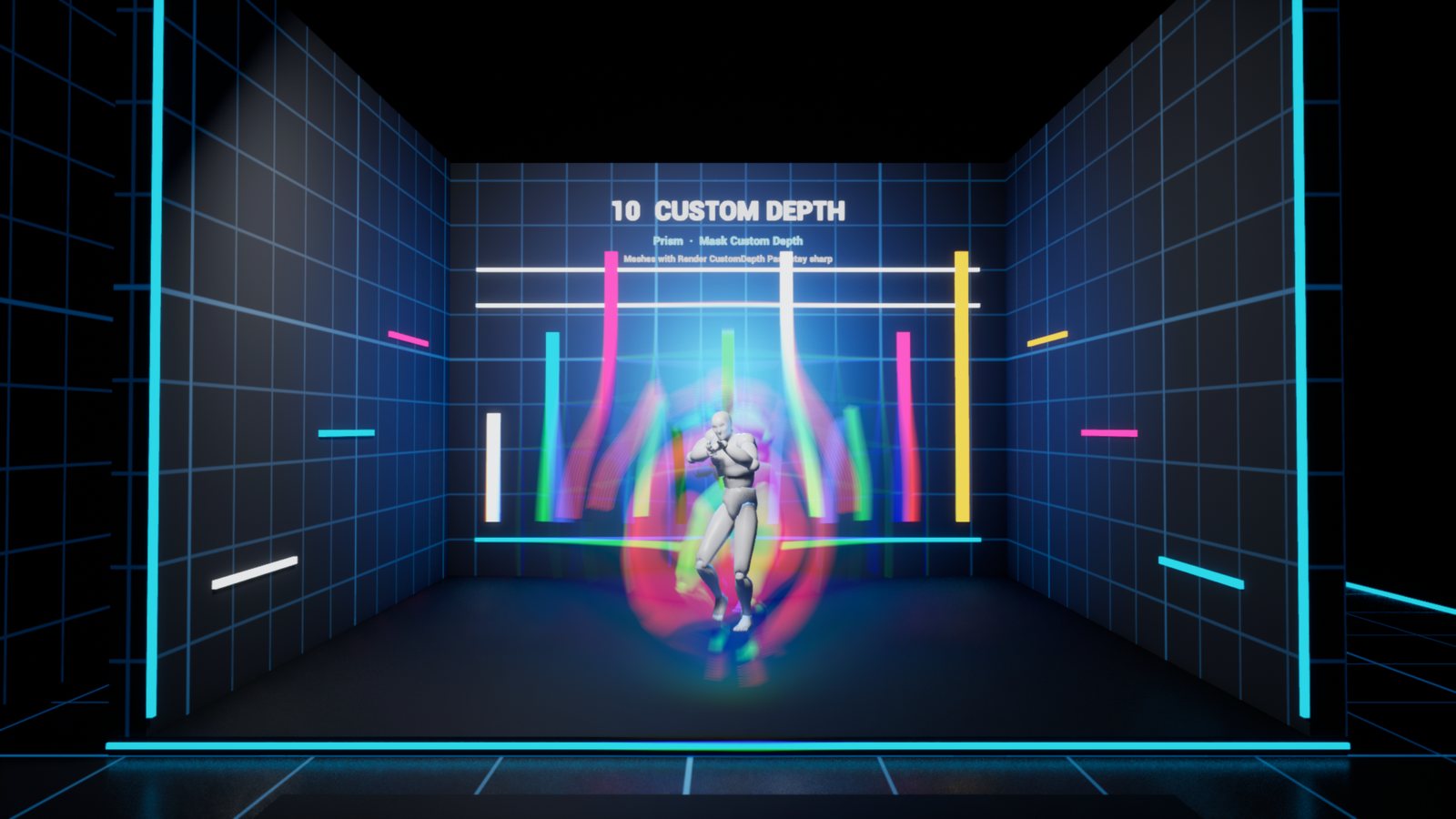
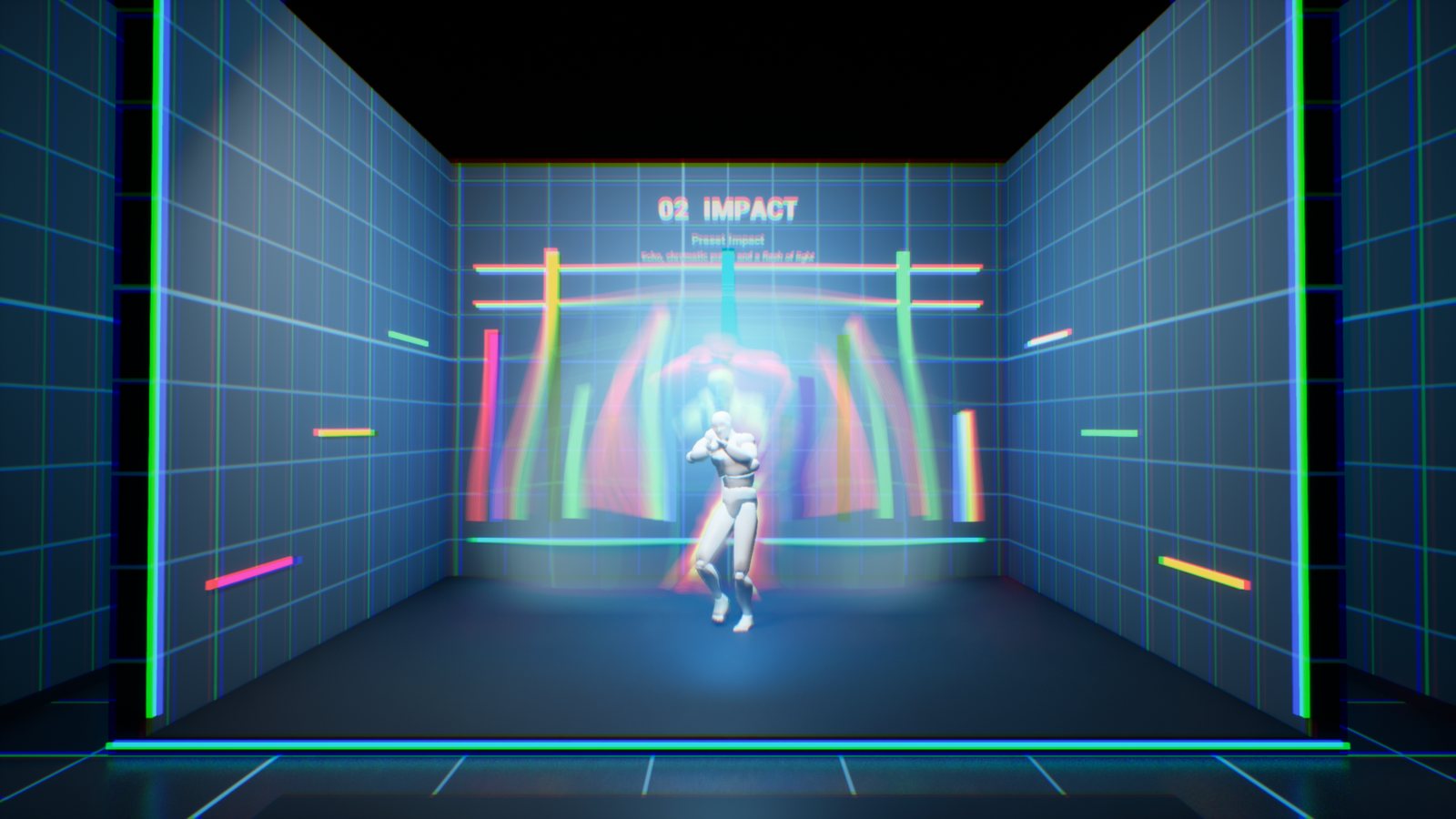
/Ictus/Maps/Ictus_Showcase(Content Browser > Settings > Show Plugin Content, then Plugins > Ictus Content > Maps). It has 10 numbered booths. Each one shows a preset or a mask, with its settings written on the wall, and fires a wave every 2 seconds. - Turn on Realtime in the viewport (Ctrl+R) to see the waves in the editor.
- In your own level, search Ictus Shockwave in Place Actors, drop it, and drag it onto your character in the Outliner to attach it. The wave now starts from the character's center and only distorts what is behind it.
- Pick a
Presetand click Apply Preset.
Presets
| Preset | Look |
|---|---|
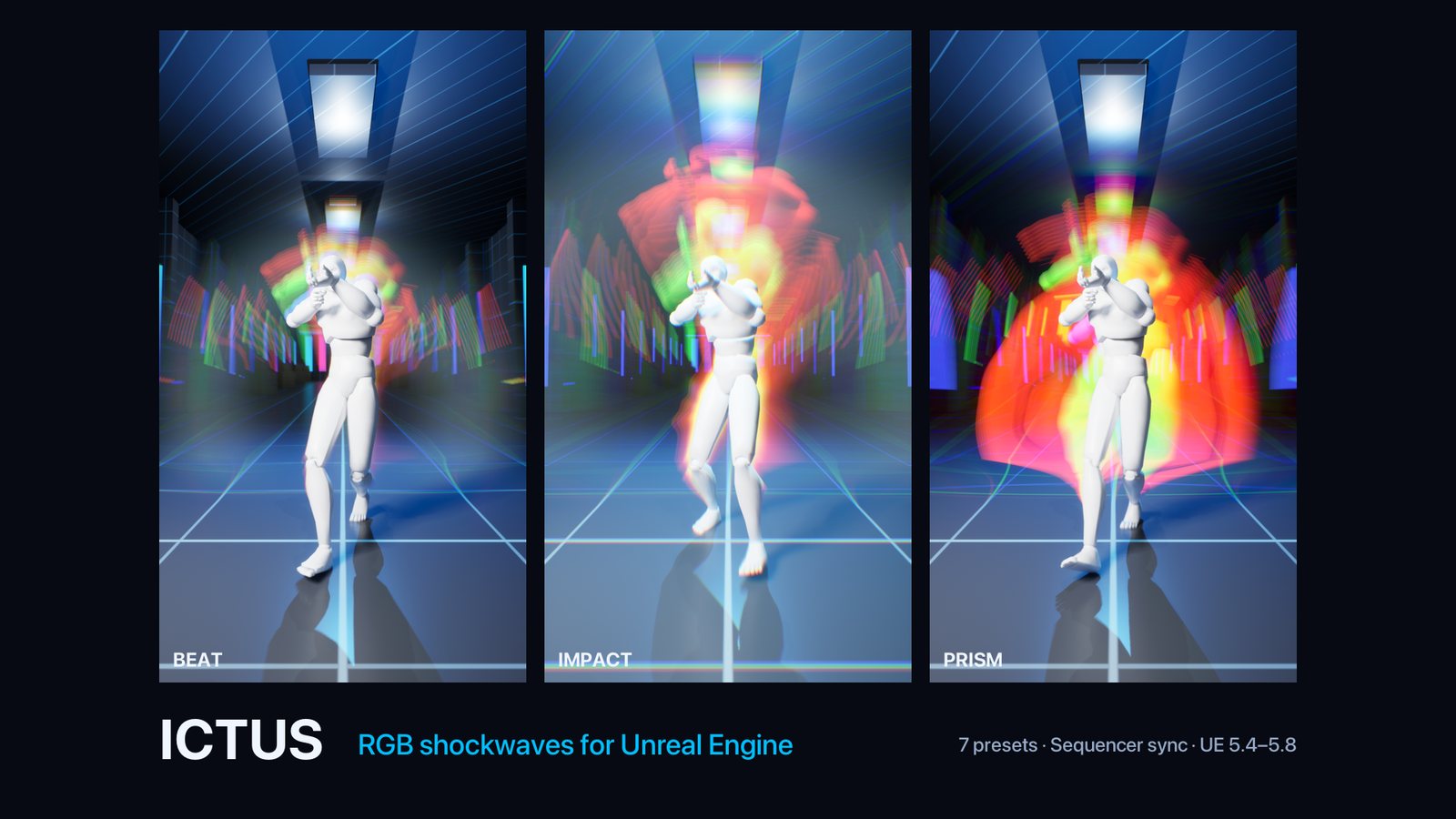
| Beat | An RGB ring bursting from behind the subject in 0.4 s, with a rainbow ghost of its outline. Made for hits on the beat. |
| Impact | A big hit: wide ring, one echo, a chromatic punch over the whole frame and a flash of light. |
| Ripple | Four thin rings in a row, like a drop in water. |
| Prism | A wide ring with a very strong rainbow split. |
| Heat | Colorless refraction, like hot air. |
| Implode | The ring closes in on the subject. |
| Ground Slam | A 3D shell (Shape = Sphere) that runs over the floor and up the walls. |
Apply Preset sets the wave, look and light settings. It keeps your trigger, subject and mask.
Triggers
| Trigger | When a wave fires |
|---|---|
| Repeat | Every Interval seconds from First Wave, Count times (0 = forever). The default, so you see waves as soon as you drop the actor. |
| Beats | On music beats: BPM, Beat Offset (time of beat 0) and the list of Beats that hit (2.5 = halfway between beats 2 and 3). |
| Times | At the exact times of the Times list, in seconds. |
| On Fire | Only when Fire is called: from Blueprint, or with the Fire button in the Details panel. |
| Keyframed | One wave driven by Progress: key it from 0 to 1 in Sequencer. |
Fire works in every mode, on top of the scheduled waves.
Sequencer and Movie Render Queue
With Follow Sequencer ticked (the default), the waves read the time of your sequence:
- in the editor, they follow the Sequencer playhead;
- in game and in Movie Render Queue, they follow the Level Sequence that is playing;
Times,BeatsandRepeatare then in sequence seconds. There is nothing to key.
To put a wave on a frame:
- Open your sequence and scrub to the frame.
- Select the shockwave and click Add Wave At Playhead in the Details panel. The trigger switches to
Timesand the wave shows up right away while you scrub. - Click again on other frames to add more. Clear Waves starts over.
Movie Render Queue gives the same frames as the editor, temporal sub-samples included: a fast ring gets natural motion blur.
For full manual control, tick Use Custom Time and key Custom Time yourself. The bundled script Plugins/Ictus/Content/Python/key_ictus_time.py keys it on every Ictus actor of the level. Without an open or playing sequence, the waves run on the world clock.
Settings
Ictus
Subject: the wave starts from this actor's center and only distorts what is behind it. Leave it empty to use the actor the shockwave is attached to.Center On Subject: untick it to start the wave from the shockwave actor itself. Attach the shockwave to a socket for a hand or a foot.Intensity: 0 = off, 1 = as set, 2 = twice as strong. It can be animated.Size: scales every size at once. 1 suits a human-size subject framed full body.Seed: another wobble shape.
Wave
Shape: Ring is a camera-facing ring around the center, always round on screen. Sphere is a 3D shell that hugs the set.Duration.Start RadiusandEnd Radius, in cm at the subject's depth: the ring keeps its size in the world and shrinks with distance.Ease(fast start, slow end),Attack,Decay.Echoes,Echo DelayandEcho Falloff.
Look
Strength: how far the image is pushed, in cm.Width: ring thickness.Tail: 1 = symmetric, 3 = sharp front and long trail.RGB Split: 0 = plain refraction, 1 = rainbow.Wobble: irregular outline.GlowandGlow Color: light on the ring. It looks the same at any exposure.Punch: a short chromatic kick over the whole frame when a wave starts.Ghost: 1 = the subject's colors smear into the wave, 0 = clean outline.
Mask
- Behind Subject: only what is farther than the subject is distorted. With a Sphere, everything outside the subject's volume is distorted.
Depth OffsetandDepth Softnessset where the wave starts behind it. - Whole Image: everything is distorted, the subject included.
- Custom Depth: everything except the meshes with Render CustomDepth Pass ticked. This gives an exact cut-out of your hero. It needs Custom Depth-Stencil Pass enabled in Project Settings, which is the default.
Light and advanced
Flashlights a point light above the subject (Flash Height) with each wave, so the set reacts too. Intensity is in candelas, with its own color and radius.Shockwave Material:M_Ictusworks before bloom: the glow blooms, and the wave is in linear EXR renders.M_Ictus_AfterTonemapdistorts the final image instead.Priority: order among your other post-process materials.
Several shockwaves can fire at the same time: each one gets its own pass.
Performance
- Each shockwave is an unbound post-process pass: about 250 shader instructions and up to 7 scene texture reads per pixel.
- The pass is switched off whenever no wave is visible, so idle shockwaves cost nothing.
Compatibility
- Unreal Engine 5.4, 5.5, 5.6 and 5.7, Windows. Runtime module: works in packaged games.
- Screen-space effect: it can only refract what is on screen. Near the frame edges, the image is clamped.
- The Behind Subject mask reads the opaque depth. Translucent objects in front of the cut can be distorted with the background. Use the Custom Depth mask if they must stay sharp.
- Not network replicated: the waves are cosmetic. Call Fire from your own replicated gameplay code.
Support
Questions and bug reports: contentcreatorassetspack@gmail.com. Tell us your engine version and, if you can, attach a screenshot of the shockwave's settings.
Ictus by Content Creator Assets · © 2026 Tony Lopez. All rights reserved.