Unreal Engine plugin · Documentation
Numen.
Energy and spells.
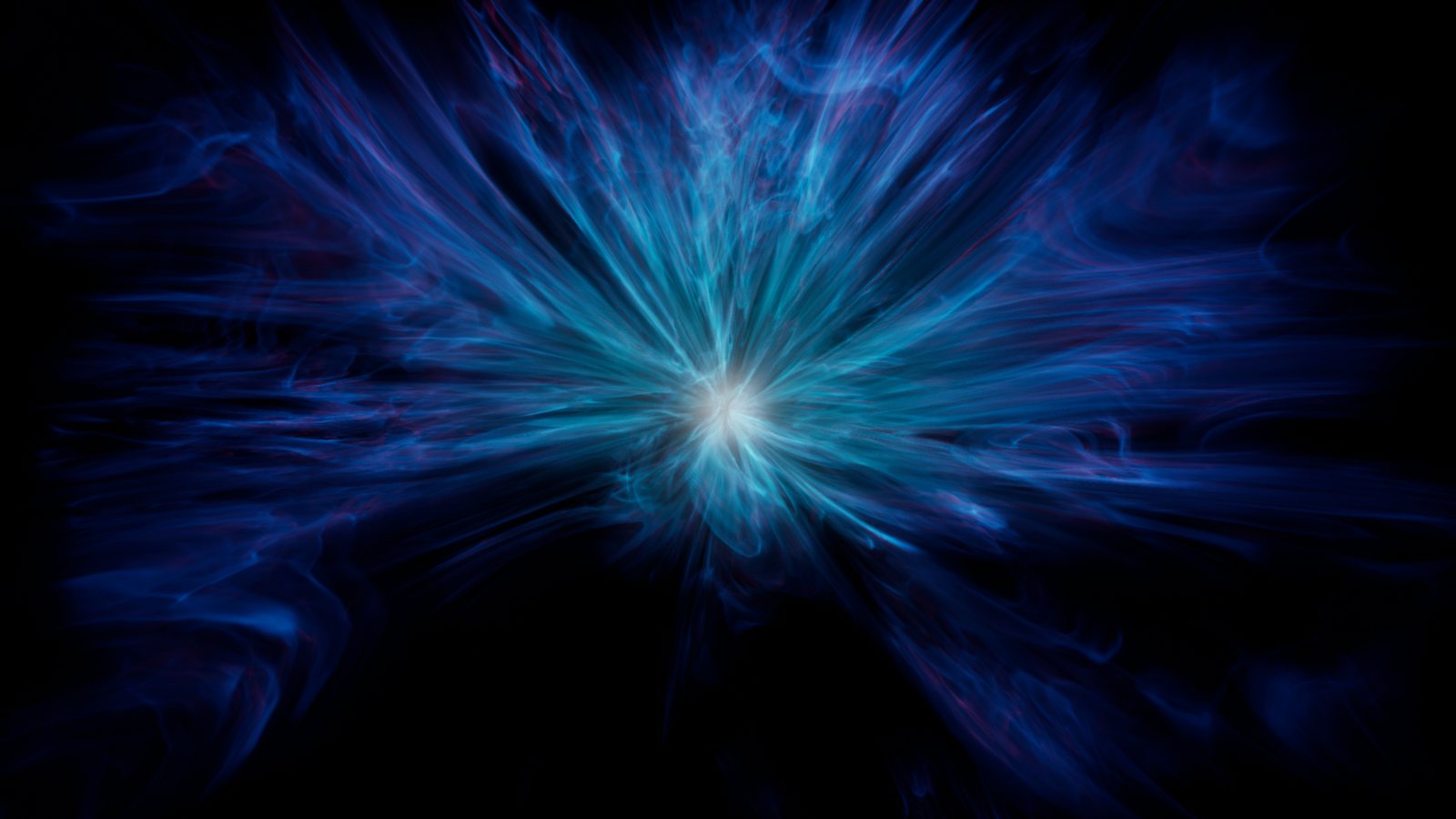
Numen draws energy as real volumes of fine glowing strands: rings of energy that curl and turn, bursts that flare up and dissolve, ghostly flames, orbs around a white-hot core, full-frame energy fields, and seven spells ready to cast, from a shockwave spreading along the ground to magic fire. Each effect is ray marched through animated 3D noise inside a box, coloured from a hot core to cool edges, and drives its own light.
Pick a preset, then make it yours: every colour, size, speed and timing is a setting you can change live in the viewport, and almost all of them can be keyed in Sequencer. Every frame is a function of the time only, so scrubbing in Sequencer and rendering with Movie Render Queue show the exact same frames.
- Quick start
- Blueprints
- Presets
- Make it yours
- Bursts and Sequencer
- Settings
- Performance
- Compatibility
- Support
Quick start
- Enable Numen Energy in Edit > Plugins and restart the editor.
- Open the sample level
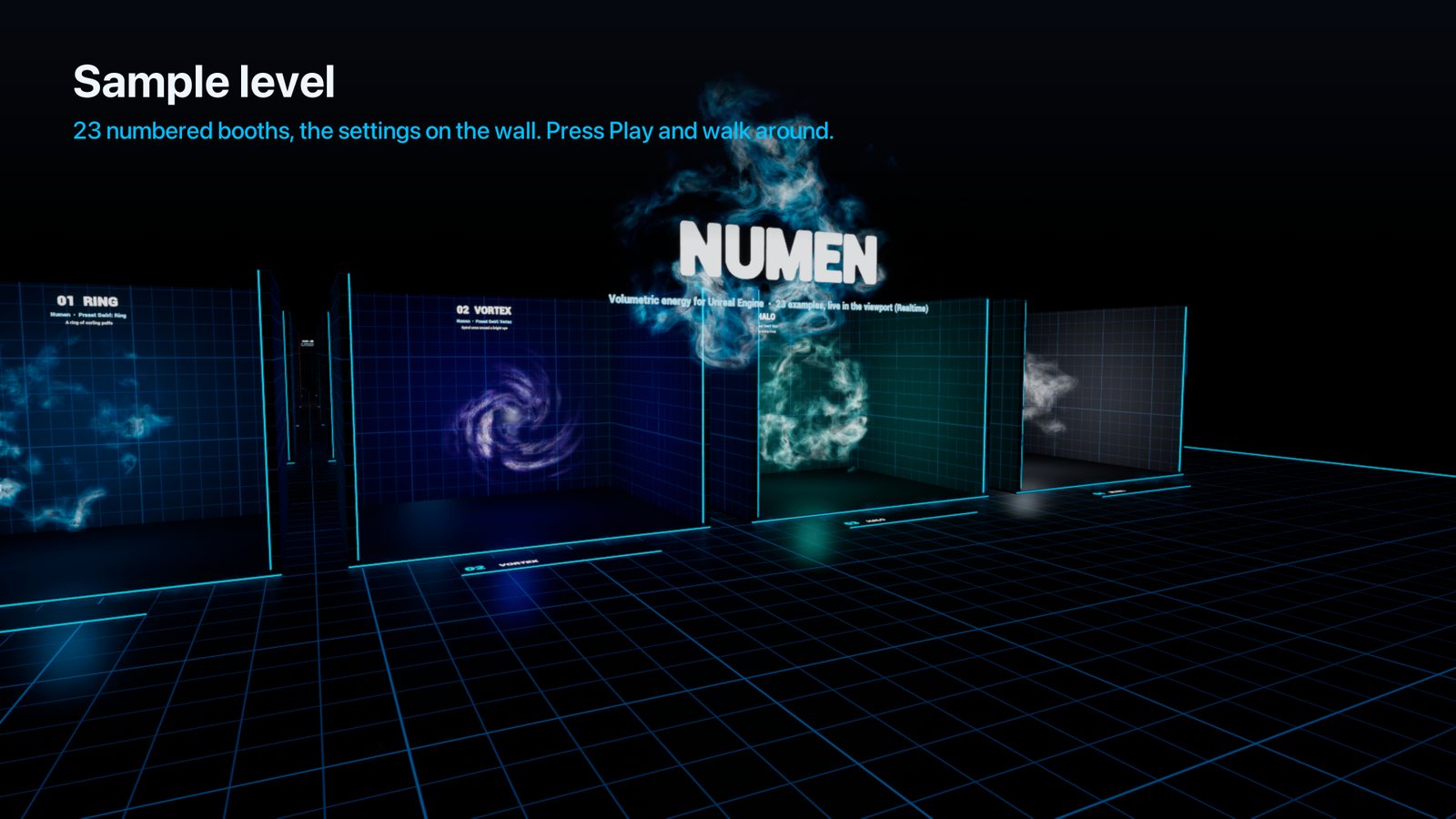
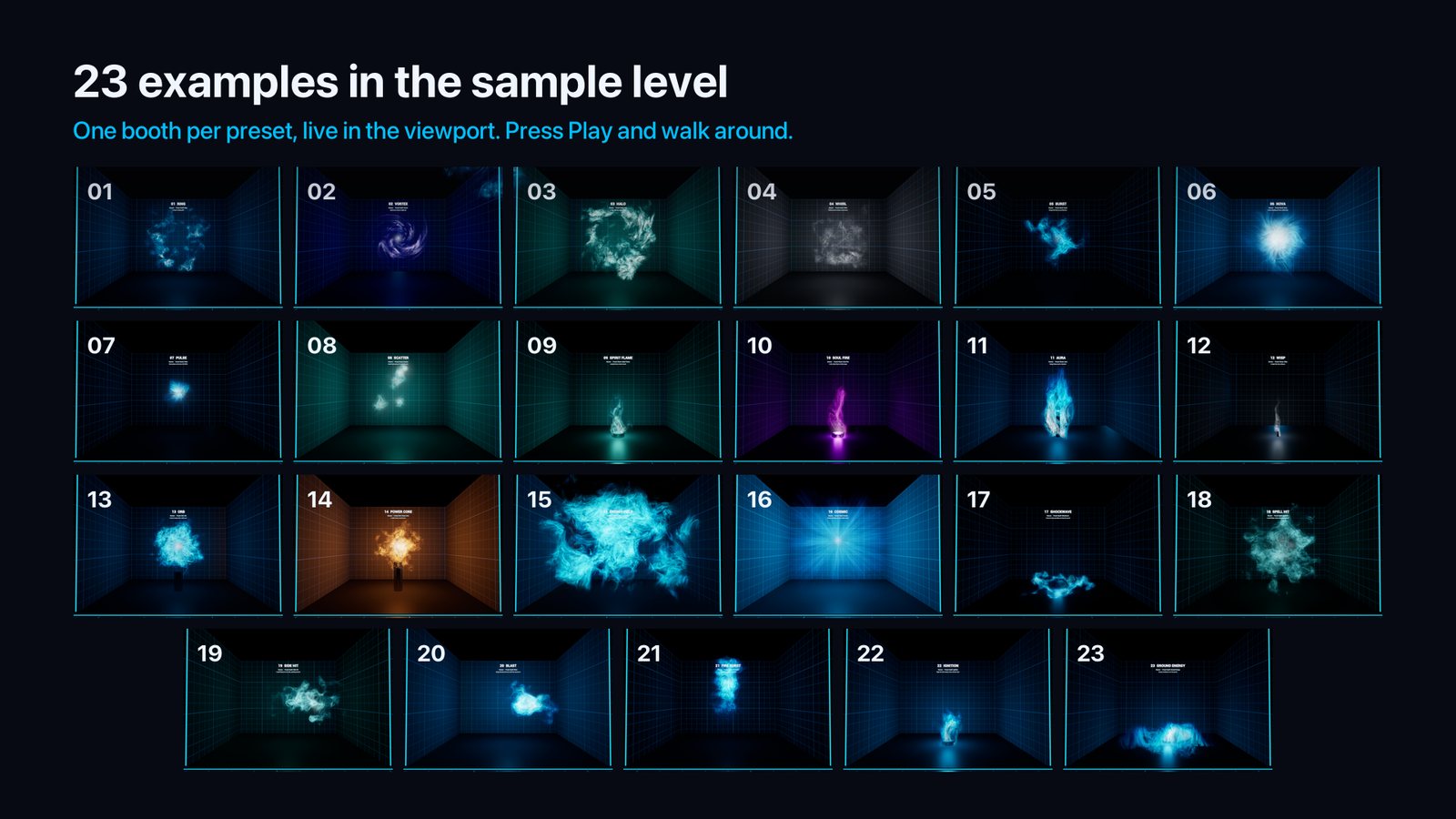
/Numen/Maps/Numen_Showcase. In the Content Browser, use Settings > Show Plugin Content, then Plugins > Numen Content > Maps. It has 23 numbered booths, one per preset, with the settings written on the wall. - Turn on Realtime in the viewport (Ctrl+R) to see the energy move in the editor, or press Play and walk around.
- In your own level, drop BP_Numen (Plugins > Numen Content > Blueprints) and pick an effect in its Preset dropdown.
- Pick a colour set in
Palette, or set the four colours yourself.
Blueprints
BP_Numen (Plugins > Numen Content > Blueprints) is the easiest way in:
- Drop it in your level.
- Pick an effect in its Preset dropdown. The list has all 23 presets. The settings change at once.
- Tweak Volume, Motion, Look, Light and Bursts as you like. Scale the actor to make the whole effect bigger or smaller. Apply Preset brings the preset's settings back.
The Numen Energy component does the same on any actor of your own. All of it can be extended in Blueprints.
Spawn Numen is a Blueprint node for gameplay. It puts any preset at a transform. A Burst or Spell preset fires once and the actor removes itself when the energy has dissolved. Other presets stay until you destroy them, unless you set Life Span. For example: On Hit > Spawn Numen (Spell: Spell Hit) at the hit point. Change Preset and Set Palette switch an effect or its colours during gameplay, and Fire fires a burst or lights a fire.
Presets
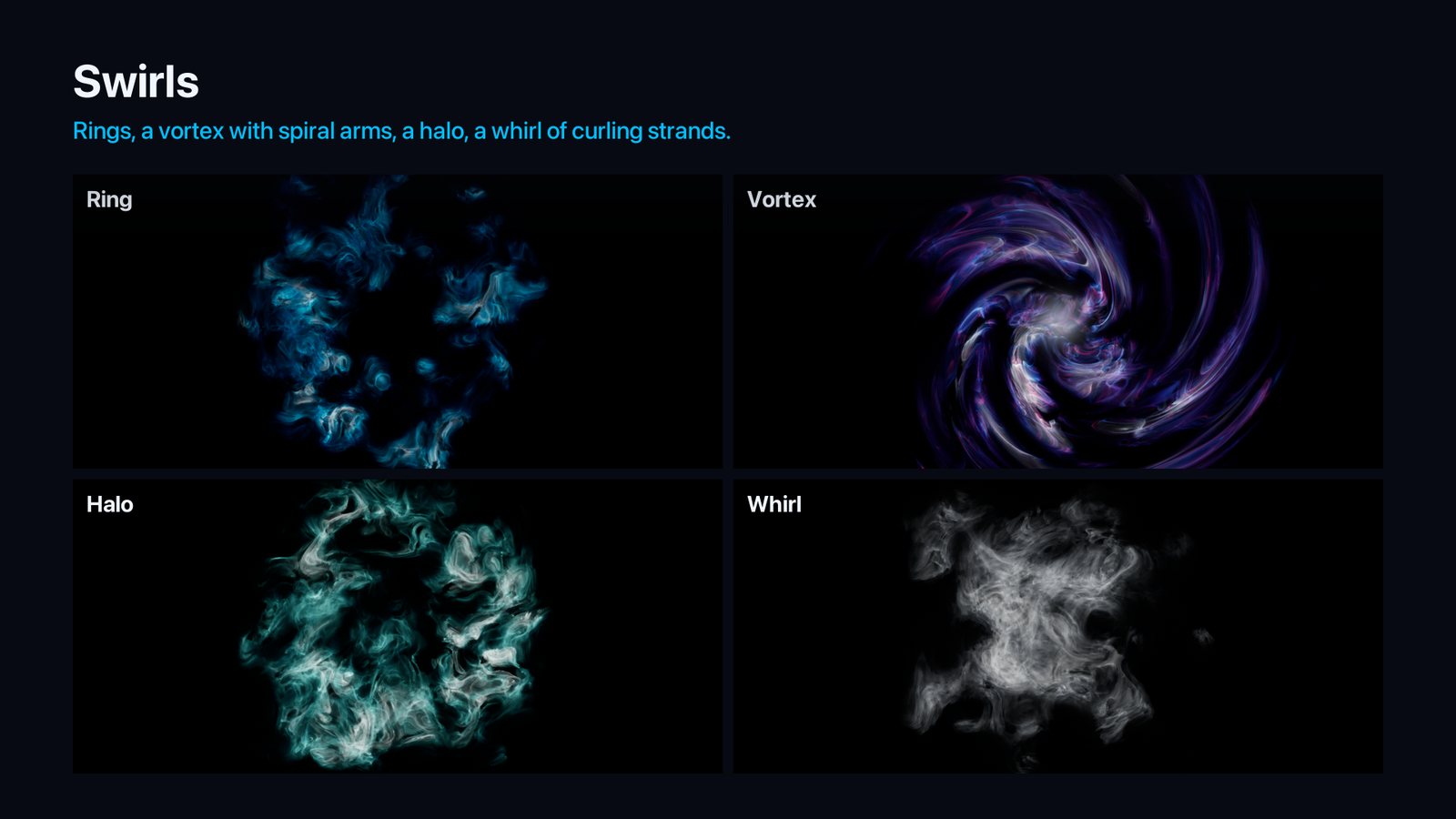
Swirl
| Preset | Look |
|---|---|
| Ring | A ring of curling puffs around the actor's forward axis. |
| Vortex | A whirlpool with spiral arms and a bright eye. |
| Halo | A wide, soft ring turning slowly. |
| Whirl | A ball of curling white strands turning on itself. |
Burst
| Preset | Look |
|---|---|
| Burst | Energy that flares up, grows and dissolves. |
| Nova | A big blast streaking out from a white flash. |
| Pulse | A short pulse on every beat at 120 BPM. |
| Scatter | Several small bursts going off around the actor. |
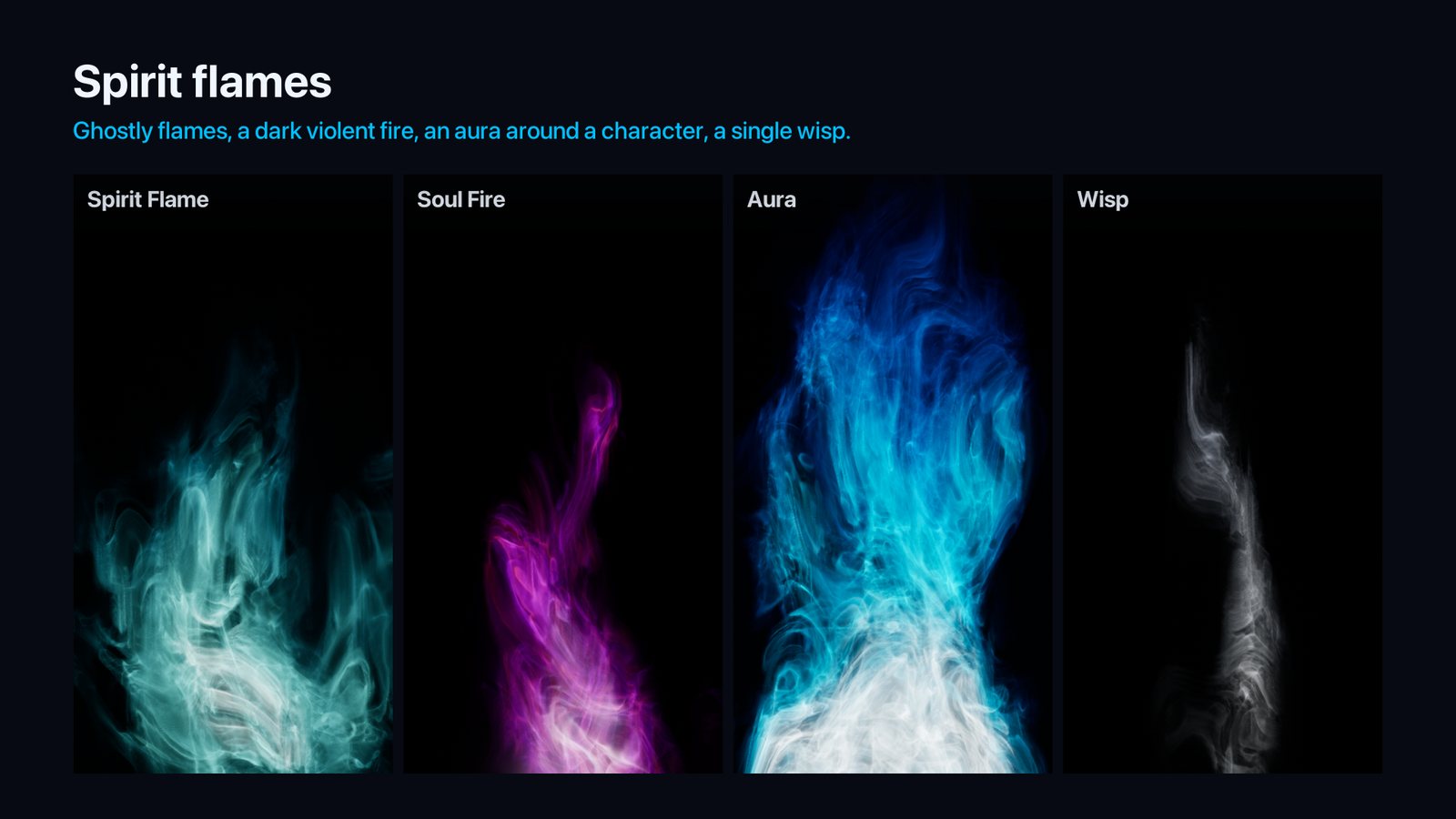
Flame
| Preset | Look |
|---|---|
| Spirit Flame | A ghostly flame of pale strands. |
| Soul Fire | A tall, violent flame of dark violet energy. |
| Aura | Energy rising around a character, hollow in the middle. |
| Wisp | A single thin wisp curling up. |
Orb and Field
| Preset | Look |
|---|---|
| Orb | A ball of energy with a white core. |
| Power Core | A small, dense, very hot core. |
| Energy Field | Energy filling the whole volume in patches. |
| Cosmic | Full-frame energy streaking out from a bright centre. |
Spell
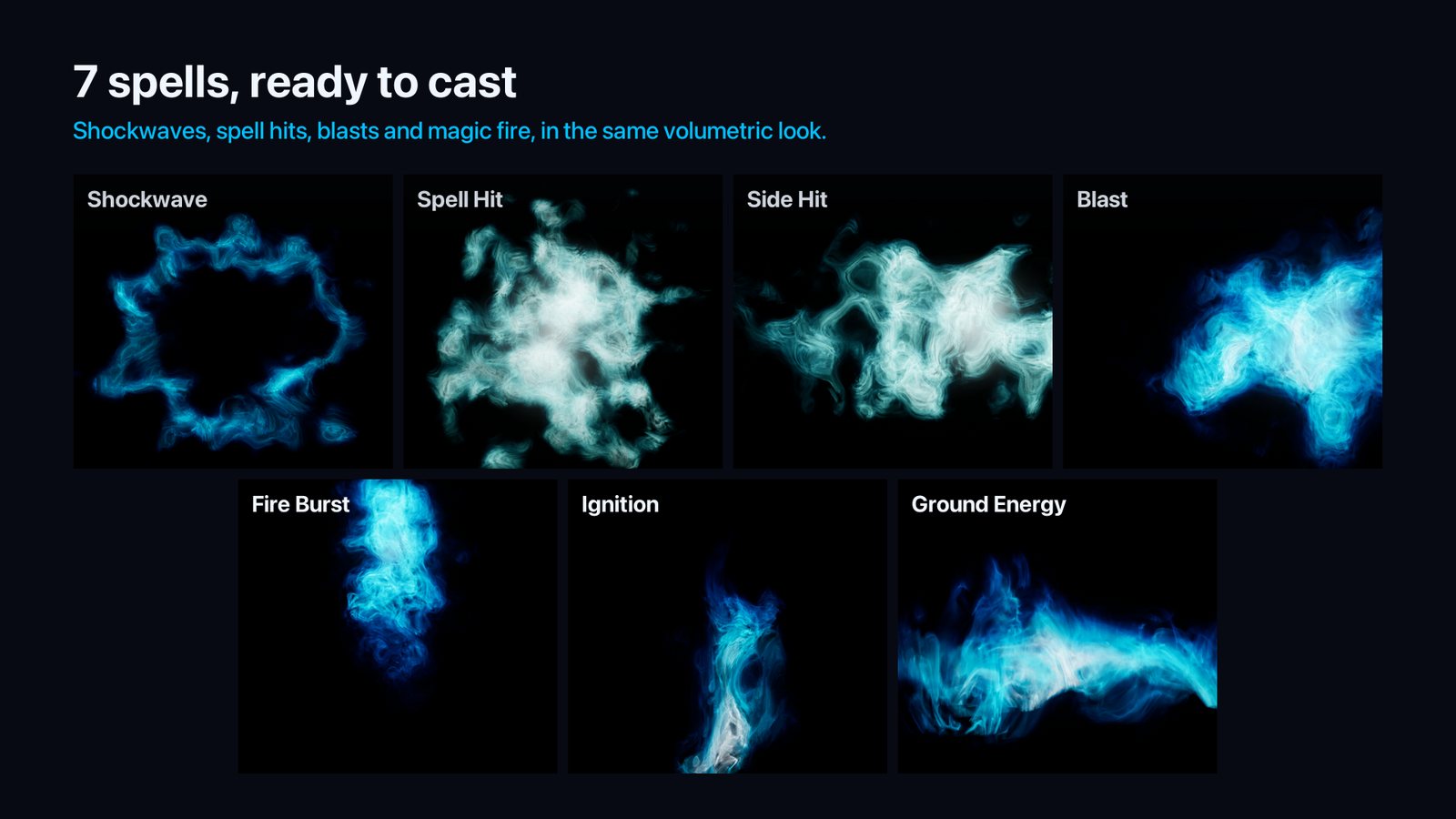
| Preset | Look |
|---|---|
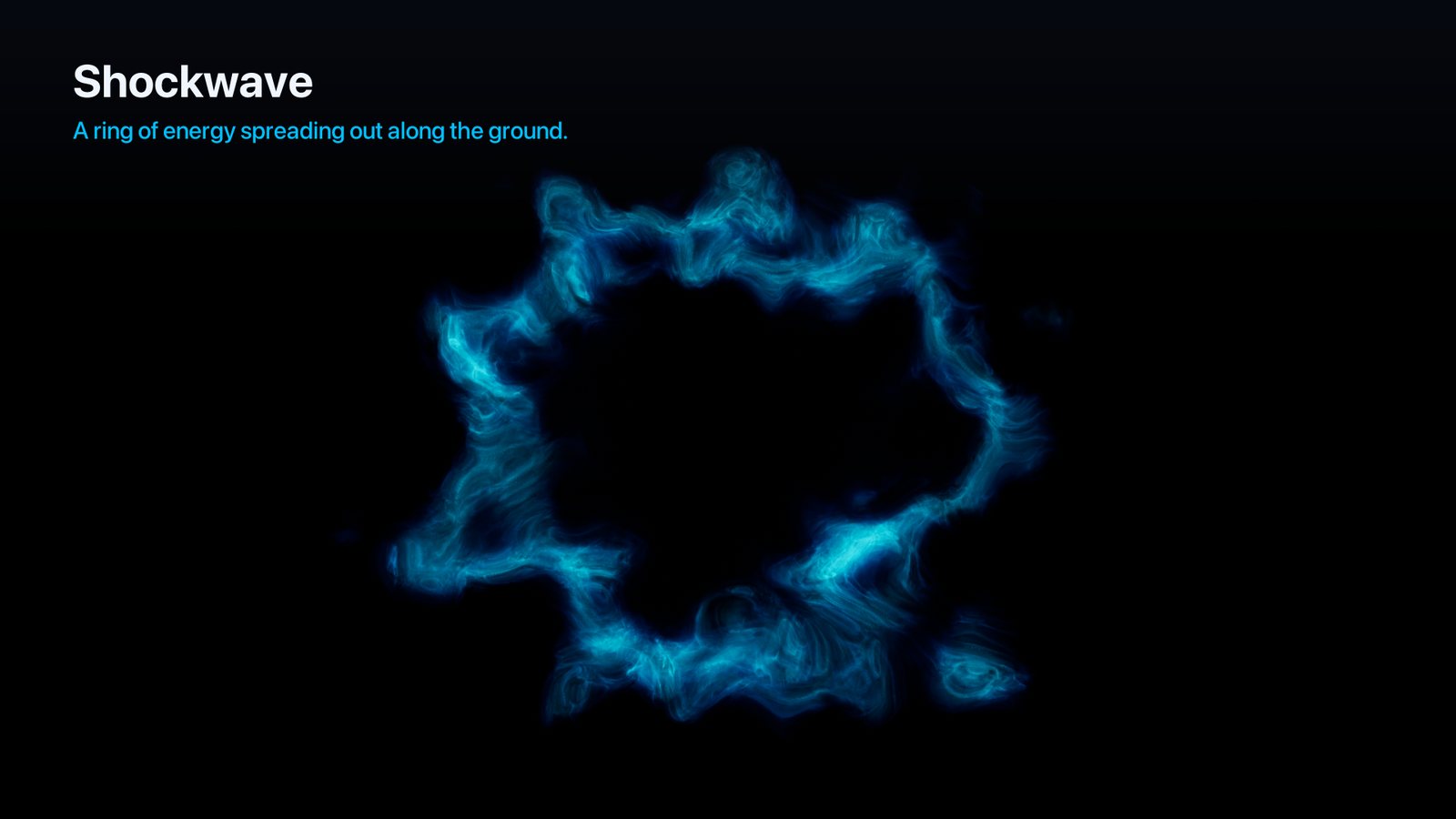
| Shockwave | A ring of energy spreading out along the ground and fading. |
| Spell Hit | A spell hitting: a flash and a ragged splash of energy. |
| Side Hit | A spell hitting from the side: the energy splashes forward along X. |
| Blast | Energy blasting forward along X in puffs that spread out. |
| Fire Burst | A puff of magic fire shooting up. |
| Ignition | Magic fire that catches, burns for a few seconds and dies down, on the Bursts schedule. |
| Ground Energy | Energy crawling low over the ground. |
Swirls turn around the actor's X axis (they face the actor's forward arrow). Side Hit and Blast fly along X, so rotate the actor to aim them. Shockwave spreads in the actor's XY plane, the ground. Flames sit on the actor, which is the ground. The other shapes are centred on it.
Make it yours
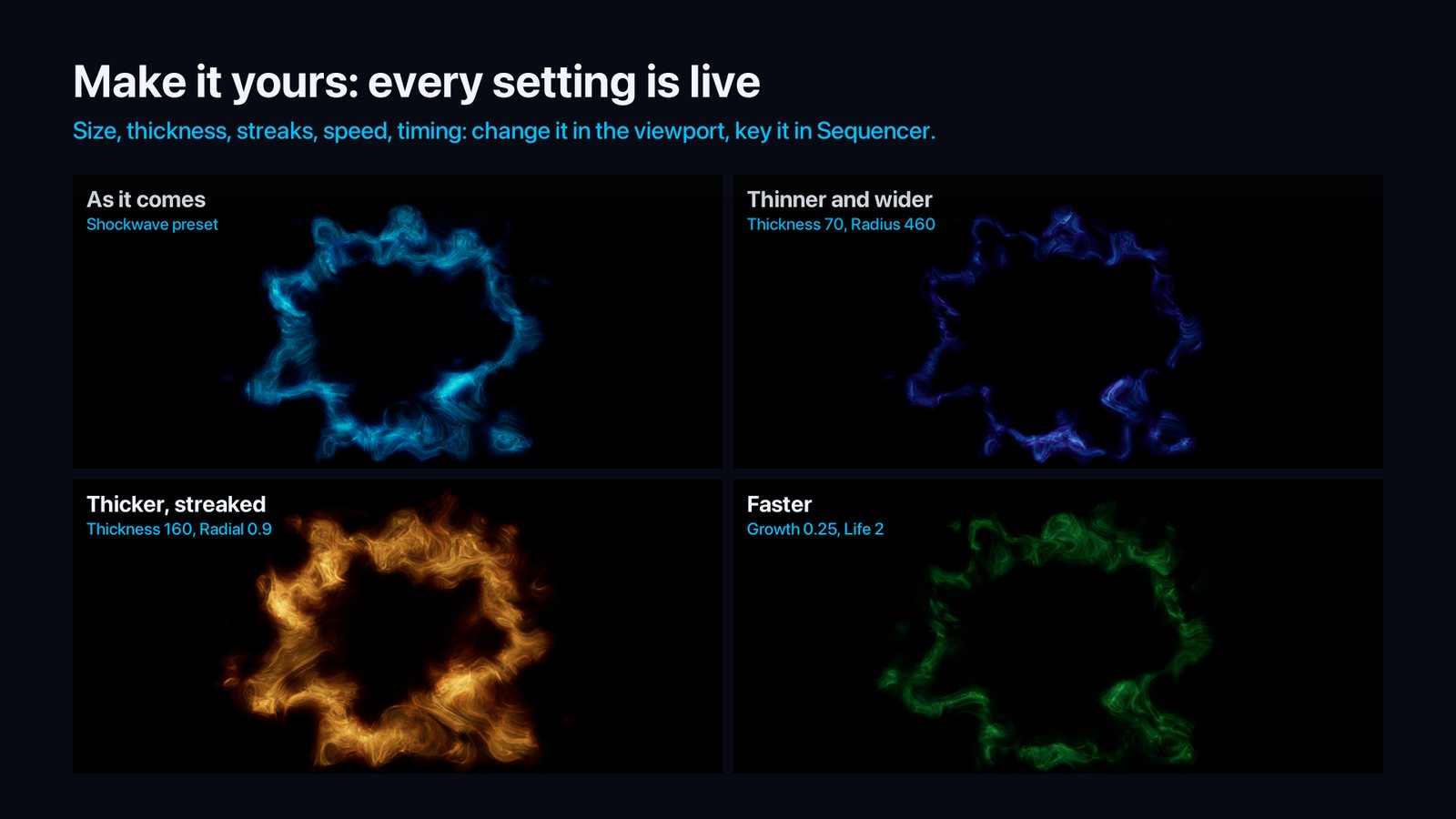
A preset is only a starting point. Every setting below changes the effect live in the viewport. Most of them (colours, intensity, size, speed and most shape settings) can also be keyed in Sequencer: with a sequence open, click the key icon next to the setting in the Details panel.
| To change | Use |
|---|---|
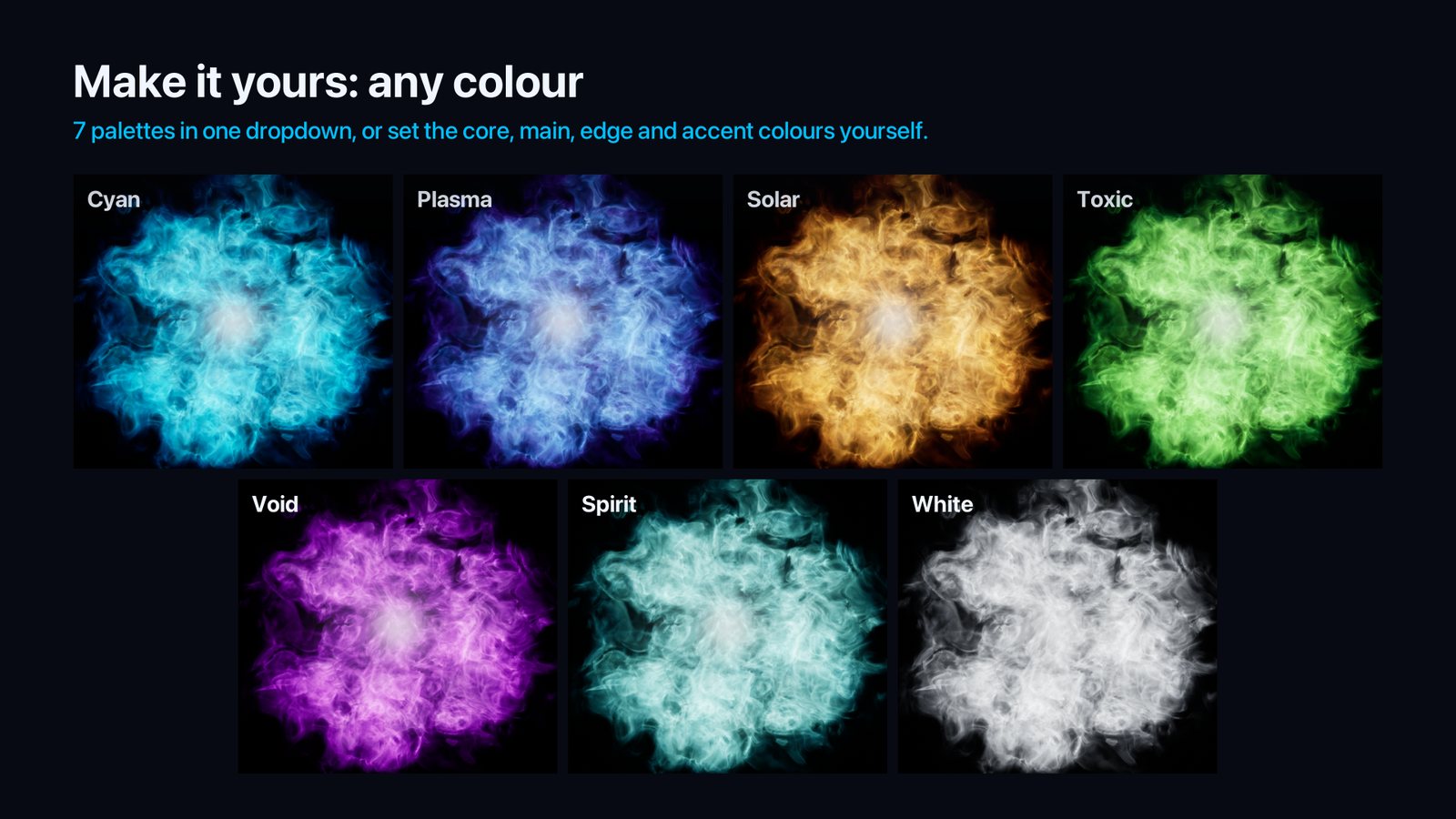
| The colours | Palette (Cyan, White, Plasma, Spirit, Void, Solar, Toxic) fills the four colours at once. Or set them yourself: Core Color (the white-hot heart), Color (the main colour), Edge Color (the thin energy at the edges) and Accent Color with Accent (threads of a second colour). |
| How bright it is | Intensity, Core Glow (the flash at the heart), Heat (how much of the energy runs white-hot), Haze (soft glow between the strands). |
| Its size and shape | Scale the actor, or set Size, Radius and Thickness. Swirls: Arms, Twist, Spin, Fill. Bursts and spells: Hollow, Radial, Ring (a flat ring, a shockwave), Stretch (a splash drawn out along its path). Flames: Flame Height, Taper. |
| The strands | Strand Scale, Strands, Sharpness, Curl, Wisps, Gaps. |
| How it moves | Turbulence, Turbulence Scale, Evolution, Drift, Rise, Flicker. Time Scale slows down or speeds up the whole effect. |
| When it goes off | The Bursts schedule: on a repeat, on music beats, at exact times, or only on Fire. Growth and Life set how fast a burst grows and how long it lasts; Ignite and Life how fast magic fire catches and how long it burns. |
| Its light | Drive Light, Light Intensity, Light Radius: the point light follows the energy's colour and flashes on the bursts. |
Bursts and Sequencer
Burst and Spell presets fire bursts, and Ignition lights its fire on the same schedule. The Bursts settings say when:
| Trigger | When a burst goes off |
|---|---|
| Repeat | Every Interval seconds from First Burst. |
| Beats | On music beats: BPM and the list of Beats (1 = the first beat, at time 0). |
| Times | At the exact times of the Times list, in seconds. |
| On Fire | Only when Fire is called from Blueprint. |
Fire works in every mode, on top of the scheduled bursts. Up to 8 bursts are drawn at a time (the youngest).
With Follow Sequencer ticked (the default), every Numen actor reads the time of your sequence:
- in the editor, it follows the Sequencer playhead, so scrubbing shows each frame exactly;
- in game and in Movie Render Queue, it follows the Level Sequence that is playing;
- without an open or playing sequence, it runs on the world clock.
To put a burst or a spell on a frame:
- Scrub to the frame.
- Select the actor and click Add Burst At Playhead. The trigger switches to
Times. - Click again on other frames to add more. Clear Bursts starts over.
For full manual control, tick Use Custom Time and key Custom Time yourself. Time Scale gives slow motion, and Time Offset starts the energy further along.
Movie Render Queue. Each pixel marches its ray with a small random offset that changes every sample. Render with 4 or more spatial samples for smooth strands.
Settings
Volume
Shape: Swirl, Burst, Flame, Orb or Field.Size: the box the energy lives in.Edge Fade: the energy thins out over this distance near the sides of the box. The distance wanders with the noise, so the sides never show as straight lines.Radius: the ring or ball radius (Swirl, Orb), a grown burst or how far a ring spreads (Burst), the base of a flame (Flame), how far from the centre a field stays bright (Field).Thickness: the ring or shell thickness (Swirl, Orb, a burst ring).Coverage: how much of the shape is filled; lower breaks it into separate patches.- Swirl:
Fill(0 = a ring, 1 = a disc),Arms(spiral arms, or lobes on a ring),Twist(spiral winding),Spin(degrees per second; Orb spins too),Streaks(strands drawn out along the ring). - Burst:
Growth,Life,Count,Spread,Stagger,Size Random,Velocity,Velocity Random,Drag,Hollow(a shell rather than a ball),Radial(strands stretched along lines from the centre; Field too),Ring(a flat ring that spreads out toRadius) andStretch(each burst drawn out along its launch direction). - Flame:
Flame Height,TaperandIgnite(the flame catches over this time at each shot of the Bursts schedule or each Fire, burns forLifeseconds, then dies down; 0 = always burning). - Orb and Field with
Radial:Stream Speed, how fast the strands stream out of the centre.
Motion
Drift: the whole pattern drifting, in cm/s.Rise: upward drift (a flame rises at this speed).Turbulence,Turbulence ScaleandEvolution: the big swirls that bend the shape, their size, and how fast the strands change.Flicker: quick random changes of brightness (also on the light).
Look
Intensity,Palette,Core Color,Color,Edge ColorandHeat: brightness and colours, from the hot core to the cool edges.Strand Scale,Strands,Sharpness,Curl: the size of the curls, how many strands, how crisp, how much they fold into loops.WispsandGaps: the energy lives on thin folded sheets, bright where they curl edge-on, with dark gaps between them.Haze: soft glow between the strands.Accent,Accent ColorandAccent Scale: thin threads of a second colour.Core Glow,Core RadiusandCore Offset: the bright glow at the heart (the centre, the base of a flame, each burst as it flares).Exposure Independent: brightness stays the same at any exposure, so a preset looks the same in any level. Untick it to work in scene units.Steps: samples along each ray (96 by default). More is smoother and slower.
Light and time
Drive Light,Light Intensity,Light Radius: the point light attached to the effect follows its colour, flicker and bursts.Seedchanges the pattern.Follow Sequencer,Use Custom Time,Custom Time,Time Scale,Time Offset.
Performance
- The energy is drawn by its material, one draw per actor. The cost grows with the area it covers on screen and with
Steps. - Empty parts of the box are skipped quickly. Lower
Stepsfor energy far from the camera.
Compatibility
- Unreal Engine 5.4, 5.5, 5.6, 5.7 and 5.8, Windows. Runtime module: works in packaged games.
- Pure emission, added on top of the scene: the energy glows but does not cast or receive shadows. Each effect lights the scene through its own point light.
- The energy is drawn in the translucency pass without depth test, so the camera can fly into it. Rays stop on opaque geometry.
- Not network replicated: the energy is cosmetic. Call Fire from your own replicated gameplay code.
Support
Questions and bug reports: contentcreatorassetspack@gmail.com. Tell us your engine version and, if you can, attach a screenshot of the actor's settings.
Numen by Content Creator Assets · © 2026 Tony Lopez. All rights reserved.